
Home › Agent login
1xBet agent guide1xBet agent login
There is one place to sign in: the MobCash 1xBet agent app from your manager. What the screens look like, what the code is for and what to do when login fails.
Updated 16 Nov 2026 · Terms figures: financial terms document, November 2026
Where you sign in
Agents work in the MobCash 1xBet app. You get the app and your credentials during onboarding, after identity verification and the first deposit. Until then there is nothing to log into, and any site offering an "agent login" for 1xBet that is not the app from your manager should be treated as a phishing page.
First login, step by step
- Install the app from the link your manager sendsSee app download.
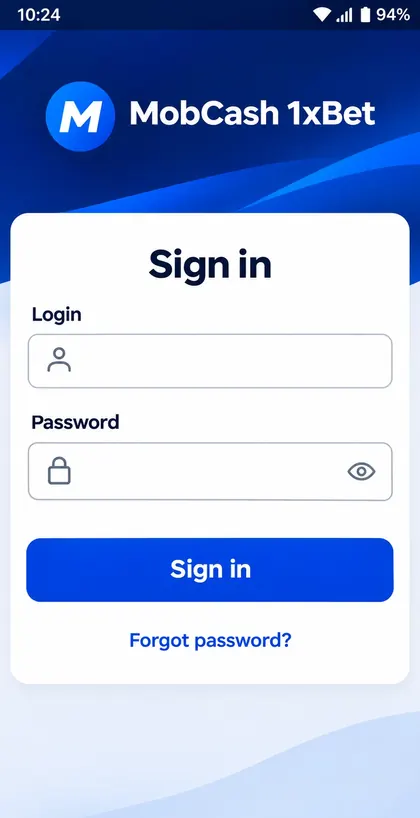
- Enter your login and passwordTwo fields and a Sign in button. The eye icon shows the password so you can check what you typed; "Forgot password?" is under the button.
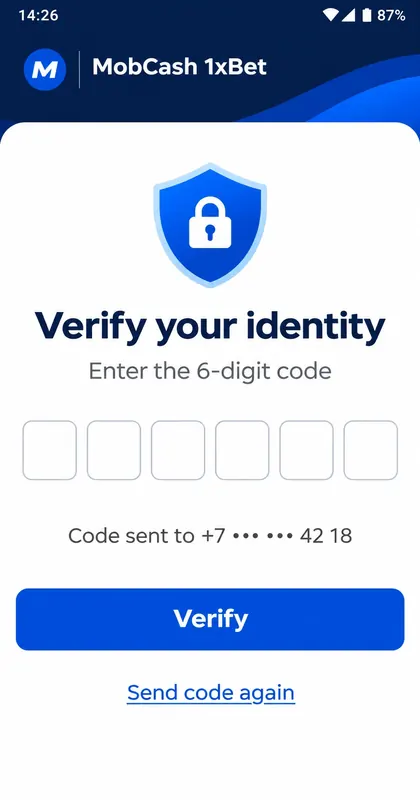
- Enter the 6-digit codeThe app sends a code to the phone number on your account and asks you to verify your identity. The phone shows only the last digits of the number.
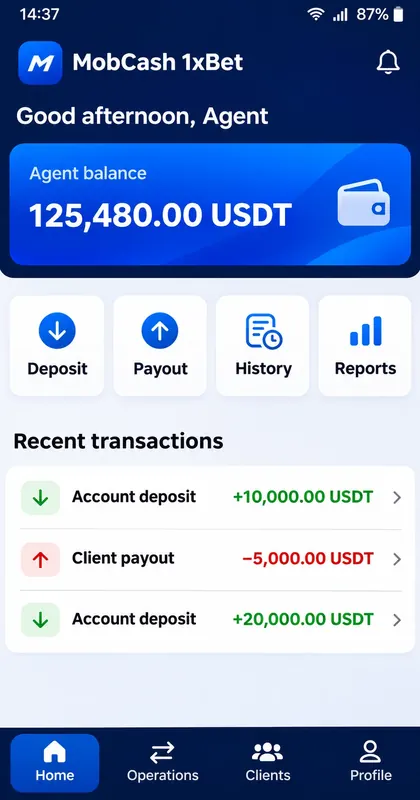
- Check the home screenYou see your agent balance, the Deposit, Payout, History and Reports buttons and the latest transactions.
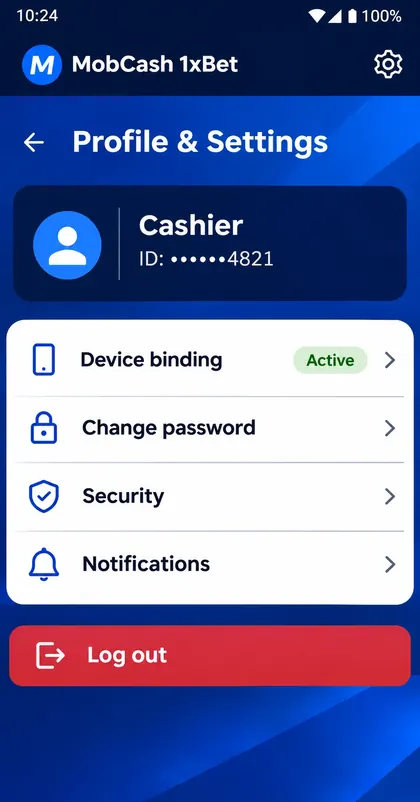
- Change the passwordProfile and settings has Change password, Security and Notifications.
Device binding
Profile and settings shows your Cashier ID (partly hidden) and a Device binding line marked Active. It means the account is tied to your phone. Moving to a new phone, or installing on a second one, needs your manager's help first.
If login does not work
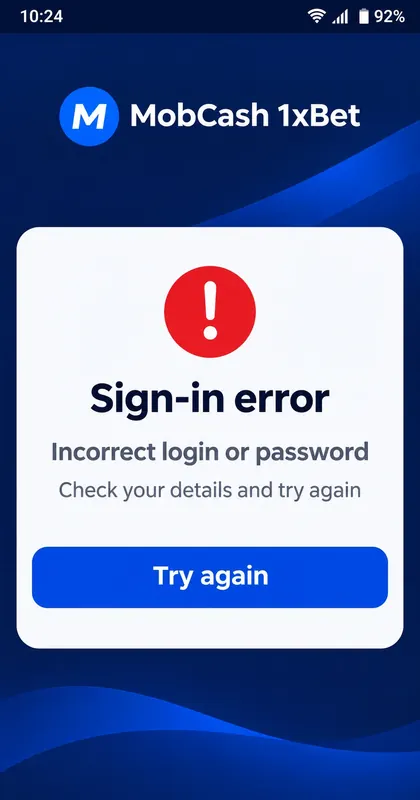
- "Incorrect login or password": check the layout and capital letters, show the password with the eye icon, or use Forgot password.
- No code arrives: check signal, wait a minute and tap Send code again. Make sure the number on your account is the one in the phone.
- Check the date, time and time zone on the phone; wrong time breaks secure sessions.
- Switch from mobile data to Wi-Fi or back.
- Update the app from the same source you installed it from; do not install a second copy from another site.
- Still stuck: write to your manager with the error text and the time it happened.
Nobody from the programme will ask you for your password or for the 6-digit code. If someone does, it is a scam: stop and tell your manager.